
Chrome alternative for Windows
Krypton vs Chrome
A Chrome alternative for Windows can still work with your familiar extensions.
Krypton supports the Chrome Web Store, with a sidebar for your tabs, separate workspaces and split view for up to four pages.
Free for 64-bit Windows 10 and 11
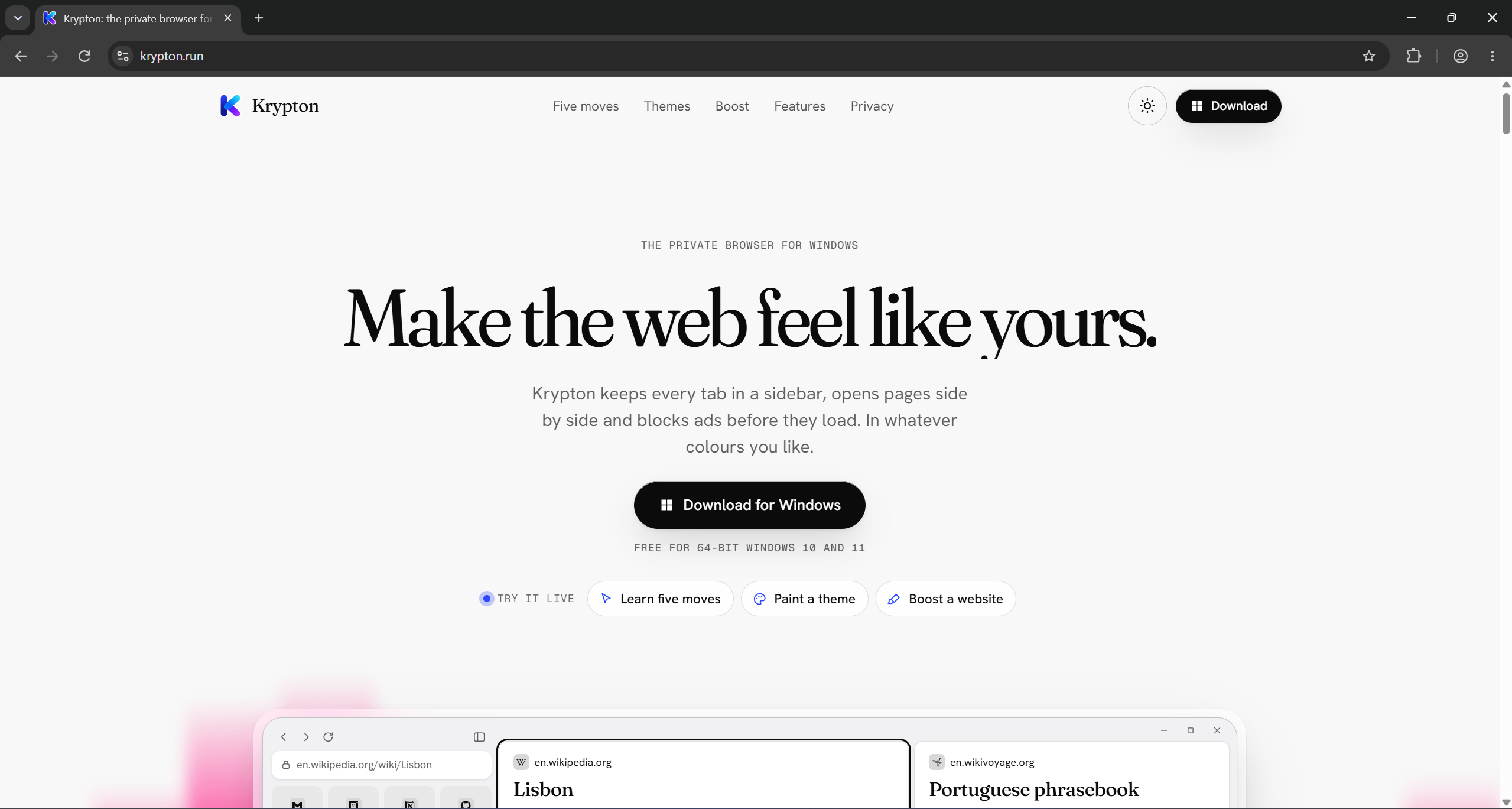
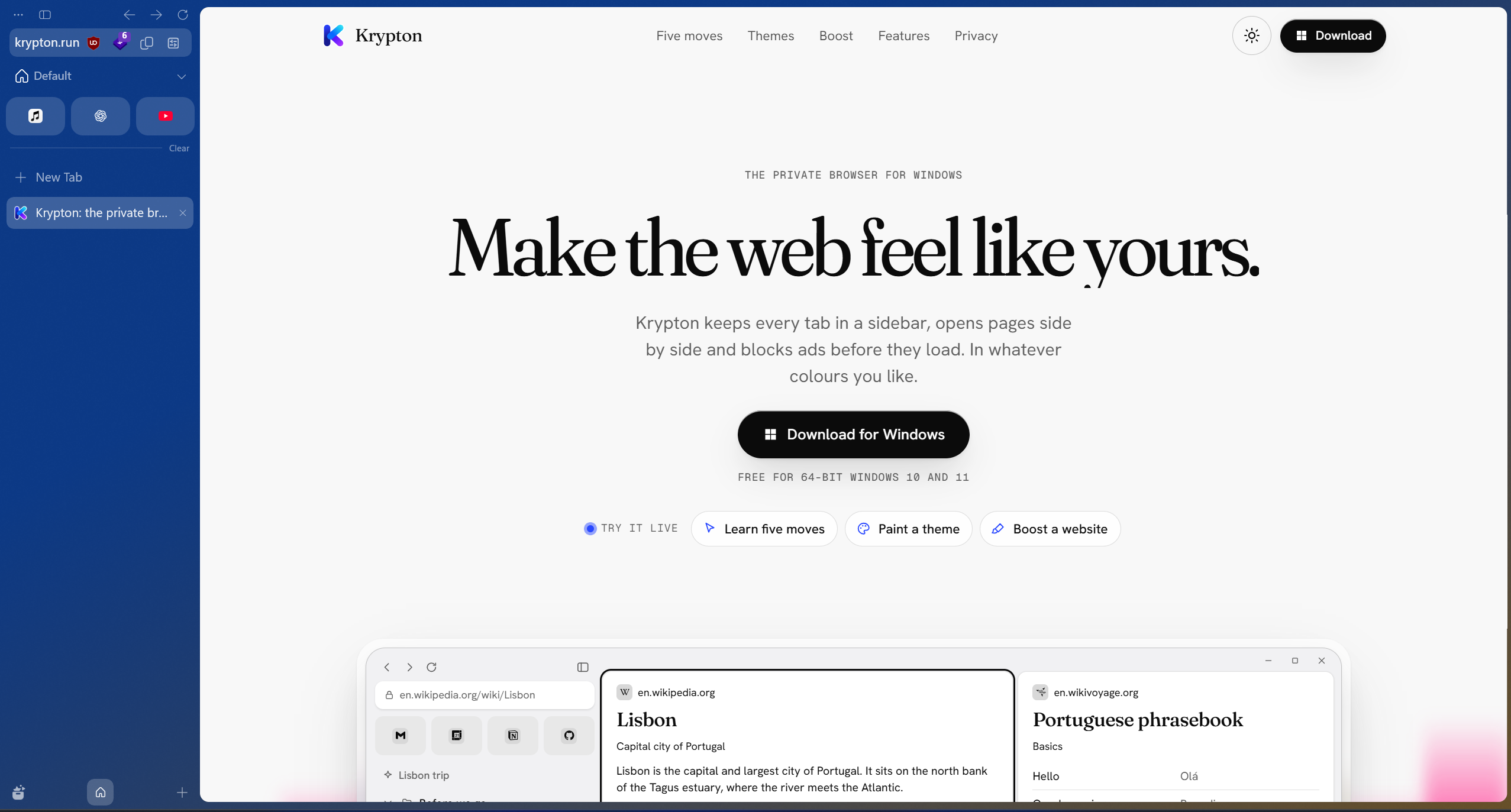
Drag the divider, or focus it and use the arrow keys.Krypton and Chrome, side by side.
Krypton and Chrome at a glance
Chrome connects closely with Google services. Krypton focuses on local browsing, built-in uBlock Origin and no usage statistics or crash reports.
| What matters | Krypton | Chrome |
|---|---|---|
| Browser foundation | Chromium-based | Google’s Chromium-based browser |
| Extension library | Chrome Web Store | Chrome Web Store |
| A reason to try it | Sidebar workflow, workspaces, Glance and built-in uBlock Origin | Integration with Google services |
Familiar extensions, a different tab workflow
Krypton supports the Chrome Web Store, so you can look for the extensions you already use in Chrome. Check each extension’s publisher and sign-in requirements when installing it in a new browser.
Krypton keeps its tabs in a sidebar, with nested folders and workspaces for separate projects. Try putting your research in one workspace and everyday sites in another, then use split view when several pages need your attention at once.
Google services and local browser preferences
Chrome brings Google services into its browser experience. Krypton’s focus is local browsing: it does not send usage statistics or crash reports, and includes uBlock Origin for content blocking.
Websites still receive the information needed to serve you, and optional browser features can involve outside servers. Krypton’s privacy policy explains those connections. Extension support also does not imply that Google account sync or all Chrome profile settings transfer.
Try one project first
Moving from Chrome to Krypton
- Install Krypton while keeping Chrome and its profile available.
- Install the extensions you need from their verified Chrome Web Store listings.
- Arrange a few everyday sites in the sidebar and create a workspace for one project.
- Check your sign-ins, saved information and important sites before changing your default browser.
Sources and further reading
Use the official documentation to check the features you depend on. Screenshots show krypton.run with the captured settings; browser layouts, themes and extensions can change the result.
- Google Chrome: browser features and services
- Chrome Web Store
- Krypton’s privacy policy
- Krypton’s source code
Updated